
Pumpkin Head AI: Photo Prompts and a Halloween Video Guide
Create a pumpkin head AI portrait with five Halloween prompts, a source-photo checklist, fixes for common mistakes, and a practical image-to-video workflow.
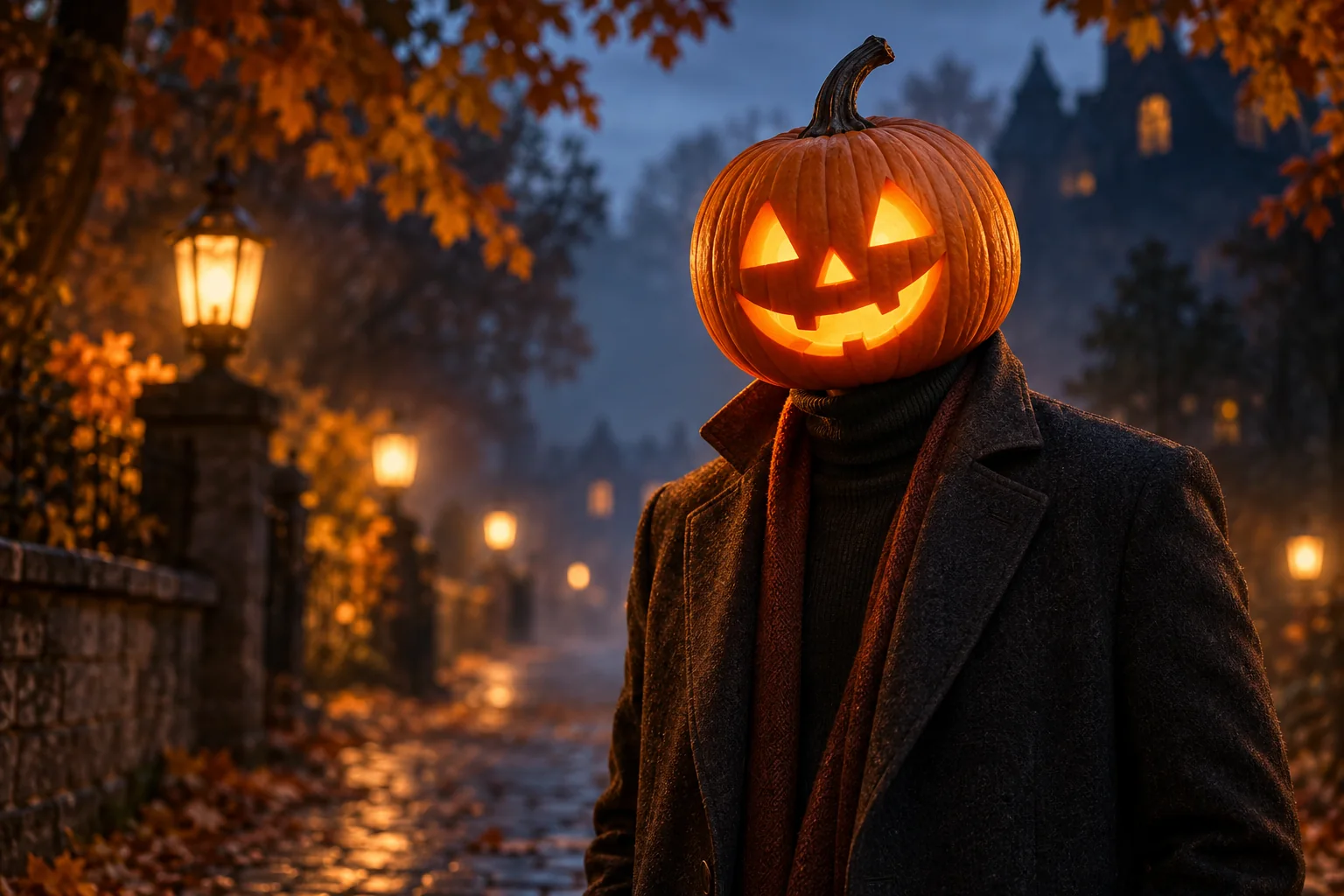
Pumpkin head AI is a Halloween image effect that replaces a person's entire head with a carved jack-o'-lantern. The aim is to keep the pose, outfit, and scene recognizable while giving the pumpkin a convincing size, neck connection, texture, and internal glow. It can start as a photo edit or an entirely new character, then become a short animated clip.
The phrase describes a creative effect rather than one universal model or button. A good result depends on the reference photo, the editing model, and the instructions you give it. This guide covers five useful styles, a repeatable prompt formula, and a still-first video workflow.
The six images on this page are original AI-generated editorial style examples. They illustrate the ideas; they are not screenshots, before-and-after tests, or promises of identical results from this website.
What is pumpkin head AI used for?
The signature look is a human-shaped character with a real-looking pumpkin where the head should be. Carved eyes and a mouth provide expression; the original clothing and body language provide personality. Typical uses include Halloween profile pictures, seasonal portraits, party invitations, autumn mood boards, and opening frames for social videos.
There are three distinct starting points:
- Photo editing: Use the AI image editor when you want to work from an existing outfit, pose, or location. Ask the model to replace the head while preserving specified parts of the reference. Preservation is a goal, not a guarantee.
- Text-to-image generation: Use text to image when you want an original pumpkin-headed character with no reference person. Describe the entire outfit, composition, and background.
- Image-to-video animation: Use image to video after you have a finished still. The motion prompt describes what changes over time, such as drifting leaves or a slow camera move.
A pumpkin mask, a pumpkin held in someone's hands, and an entire pumpkin head are different compositions. State which one you want. For this guide, the goal is complete head replacement, with no human face visible inside the carving.
Choose a source photo that makes the edit easier
For a photo transformation, start with an image in which the head, shoulders, and collar are easy to separate. A clean reference gives you a clearer way to judge what the model changed.
- Leave room around the head. A tight crop at the top or sides can cut off the pumpkin or stem. Keep enough space for a slightly wider shape.
- Show the neck-to-clothing connection. A visible collar, scarf, or neckline helps you judge whether the pumpkin sits naturally on the body.
- Reduce obstructions. Hands over the face, large hats, overlapping people, and hair across the shoulders make it harder to isolate the intended edit.
- Use readable lighting. Soft daylight is a useful first attempt. Very dark or heavily compressed images hide the edges you need to evaluate.
- Choose the final framing early. Use a vertical composition for a portrait or phone video and a wider composition for a banner. Leave space for any text you will add later.
- Work with a photo you can use. If another person appears in it, obtain their permission before publishing an edited version.
For a couple's portrait, start with two clearly separated heads and visible shoulders. For a first attempt, a single subject gives you fewer details to correct.
A reliable pumpkin head AI prompt formula
Build the prompt in this order: edit scope + pumpkin design + fit + lighting + preserved details + composition. The most useful instruction is often the edit scope: tell the model exactly what to replace before describing the mood.
Edit the uploaded photo. Replace the person's entire head with one realistic carved orange jack-o'-lantern, with no human face or hair visible. Use triangular eyes, a small carved nose, a friendly curved smile, natural pumpkin ridges, and a short stem. Keep the pumpkin proportional to the shoulders and seated naturally at the existing collar. Add a soft amber light inside the carving, with subtle light spill on the nearby fabric. Preserve the reference person's clothing, hands, pose, body proportions, camera framing, and background. Match the scene's existing light and perspective.
This is a photo-editing prompt. For text-to-image, replace the opening and preservation instructions with a complete description of the character and scene. For example: “A waist-up adult character in a cream knitted sweater on an autumn path, with a carved orange jack-o'-lantern as their entire head.”
If your chosen model has a separate negative-prompt field, you can use the following constraints there. If it does not, add the relevant ones to the main prompt:
No human face inside the pumpkin, no mask straps, no second head, no floating pumpkin, no oversized stem, no blown-out glow, no extra fingers, no text or watermark.
More instructions do not always produce more control. If an edit fails, change the one instruction tied to the failure first. Combining “pitch-black night,” “bright daylight,” “subtle glow,” and “blazing fire” in the same prompt gives the model conflicting lighting goals.
Five pumpkin head AI photo prompts
Use these as starting recipes for new images. To adapt one to an uploaded photo, begin with the editing formula above and keep the reference outfit and background instructions you actually want. The prompts describe a target look; different models and reruns can produce different details.
1. Cozy autumn portrait
A soft, friendly style works well when you want the seasonal theme without a horror mood. The cream sweater also makes it easy to see whether the light spill stays subtle.
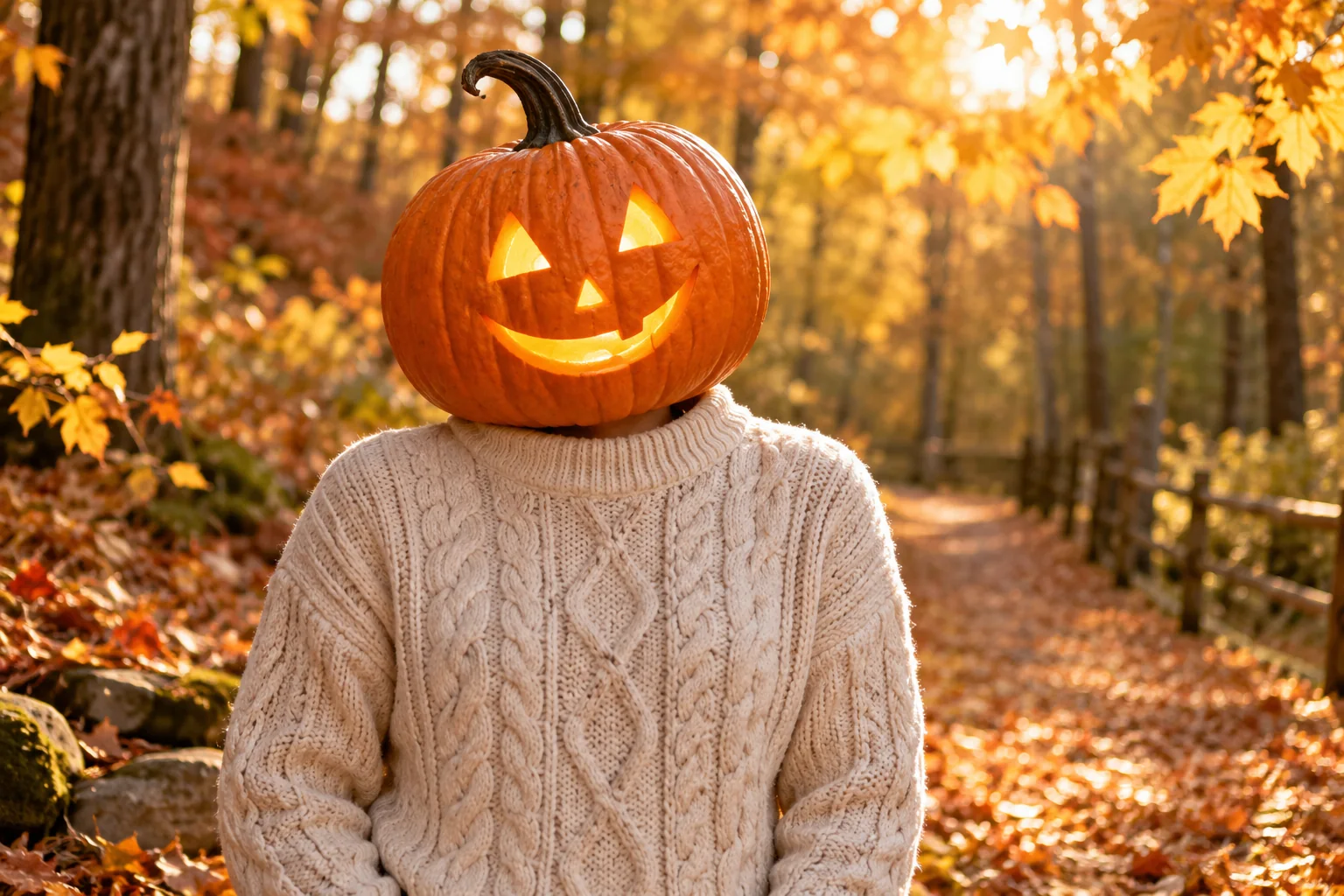
A waist-up adult character on a quiet autumn path, wearing a cream knitted sweater, with a realistic orange jack-o'-lantern replacing the entire head. Friendly triangular eyes and a gentle carved smile, short natural stem, detailed pumpkin skin, faint amber light inside. The pumpkin sits naturally at the sweater collar and is proportional to the shoulders. Soft golden afternoon light, fallen leaves, warm background blur, calm editorial portrait, no human face, no text.
Adjust first: If the carving looks too scary, specify a small curved smile and rounded carving edges. Keep the rest of the prompt unchanged.
2. Cinematic rainy street
A dark coat and a wet street create a stronger contrast between the cool surroundings and the warm pumpkin. Keep the exterior light readable so the pumpkin does not become a featureless orange lamp.
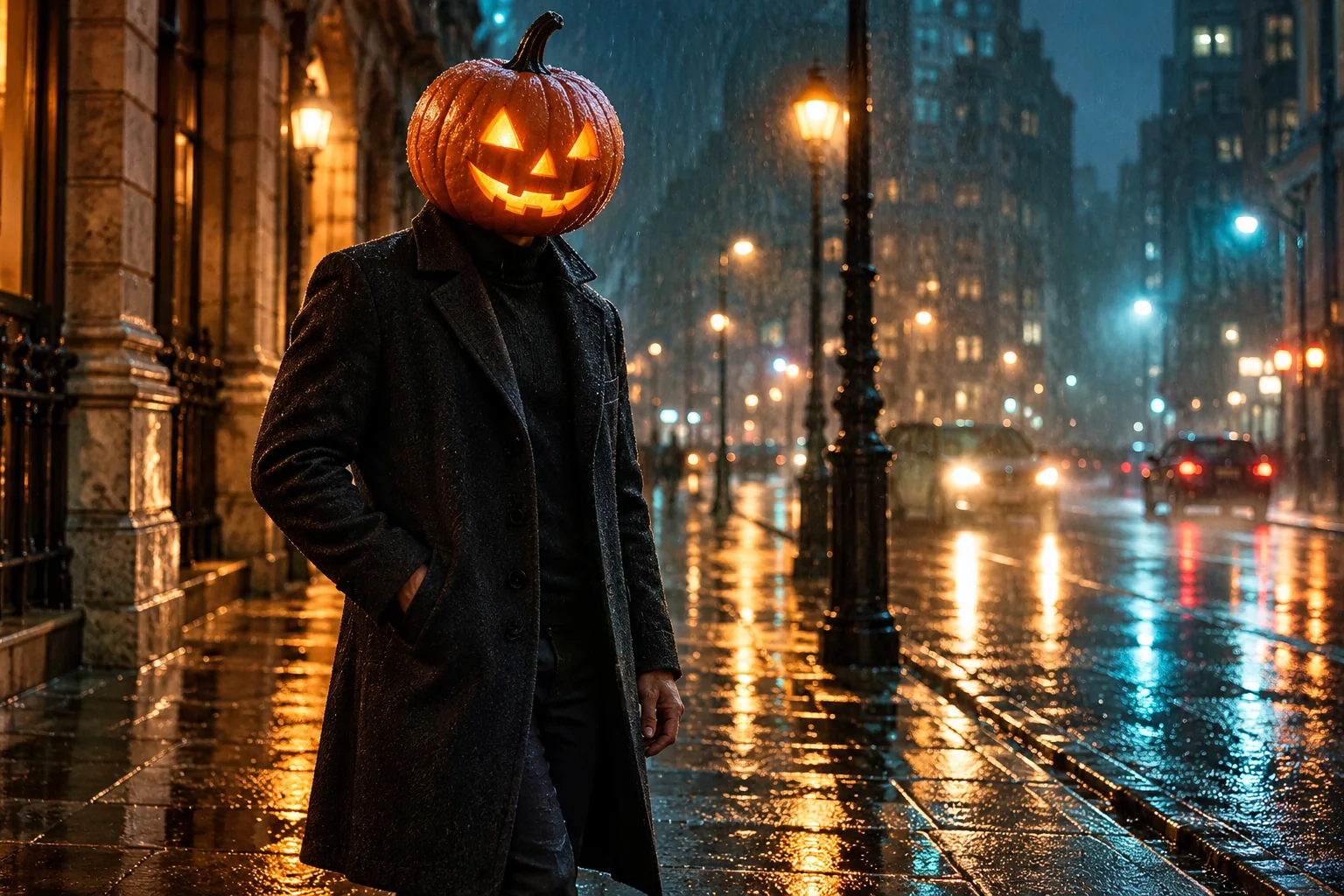
Cinematic evening portrait of an adult character in a dark overcoat on a rain-soaked city street. One realistic carved pumpkin replaces the entire head, seated at the coat collar, natural proportions and visible pumpkin ridges. Soft amber light shines through the carved eyes and mouth. Cool blue street lighting, wet pavement reflections, light rain, subtle atmospheric haze, detailed fabric, shallow depth of field. Keep the carved edges sharp and the glow contained, no human face, no text.
Adjust first: If the glow hides the carving, reduce it to “dim candlelike illumination” and ask for visible cut edges and pumpkin skin.
3. Moonlit pumpkin patch
This version puts the character in a Halloween setting while keeping the frame uncluttered. A contrasting scarf helps distinguish the neck area from the surrounding pumpkins.
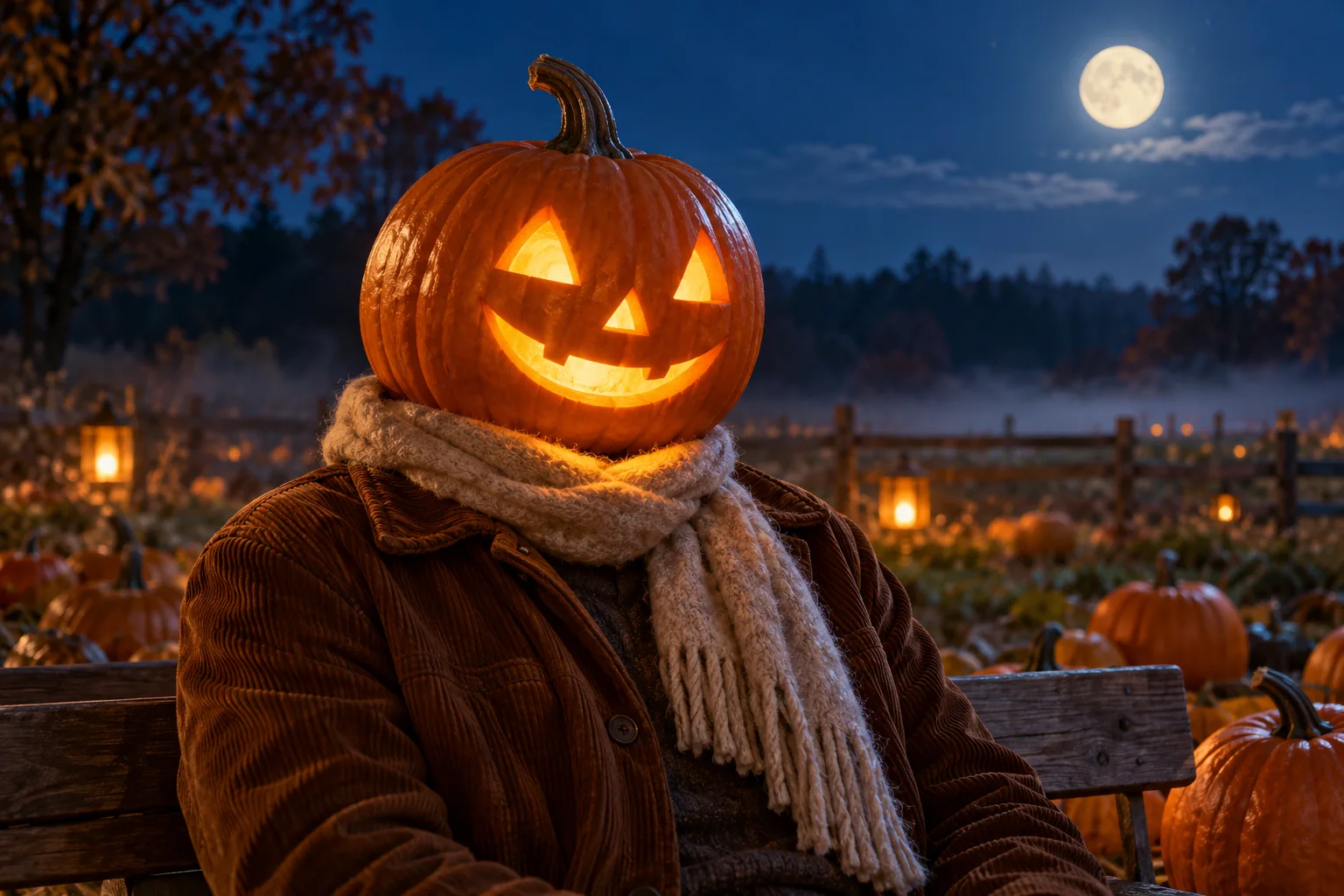
An adult character seated on a rustic wooden bench in a pumpkin patch at blue hour, wearing a brown jacket and a textured scarf. A single carved jack-o'-lantern replaces the entire head, resting naturally above the scarf. Subtle amber illumination inside, clear carved eyes and smile, realistic ridges and stem. Cool moonlit atmosphere, low mist near the ground, a few smaller pumpkins in the background, strong separation around the shoulders, gently eerie storybook realism, no human face, no text.
Adjust first: If the model adds pumpkins around the neck or shoulders, specify “exactly one head; background pumpkins remain on the ground.”
4. Coordinated couple portrait
A couple's image works best when the two characters share a lighting style but remain distinct. Different jackets and carving expressions make errors easier to spot than identical outfits and faces.
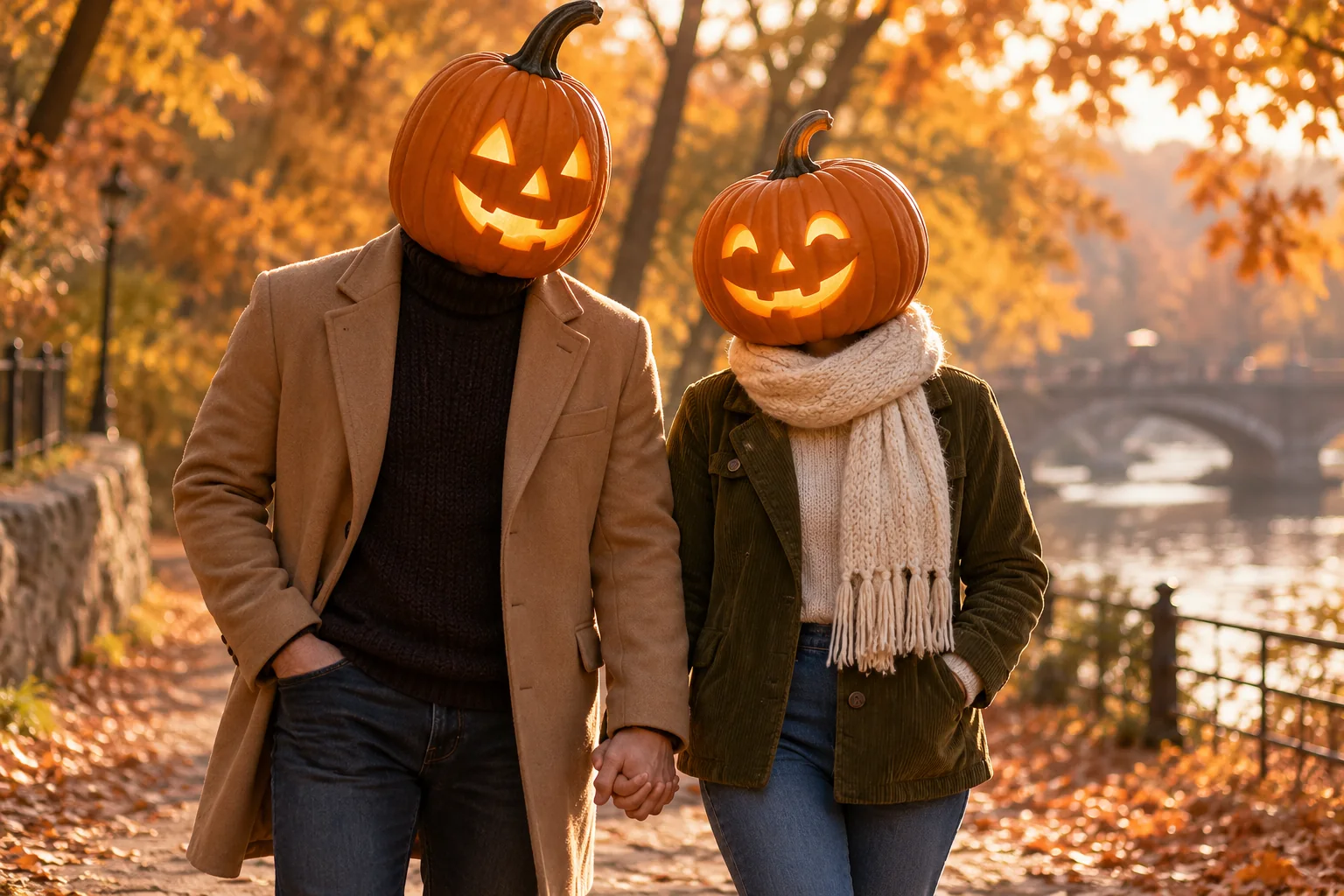
Two adult characters standing side by side in an autumn park, one in a camel coat over dark knitwear and the other in an olive corduroy jacket with a cream scarf. Replace each entire head with a separate realistic orange jack-o'-lantern. Give one a friendly curved smile and the other a playful small grin, with matching subtle amber illumination. Each pumpkin is proportional to its own shoulders and rests at its own collar. Natural relaxed poses, clearly separated silhouettes, soft afternoon light, warm leaves, no visible human faces, no merged heads, no text.
Adjust first: If the two pumpkins merge, increase the space between the characters and simplify the pose before adding handholding or movement.
5. Clean studio portrait
A simple studio background is useful for an avatar, a clean campaign image, or an invitation layout. It exposes the shape and collar connection, so review those details closely.
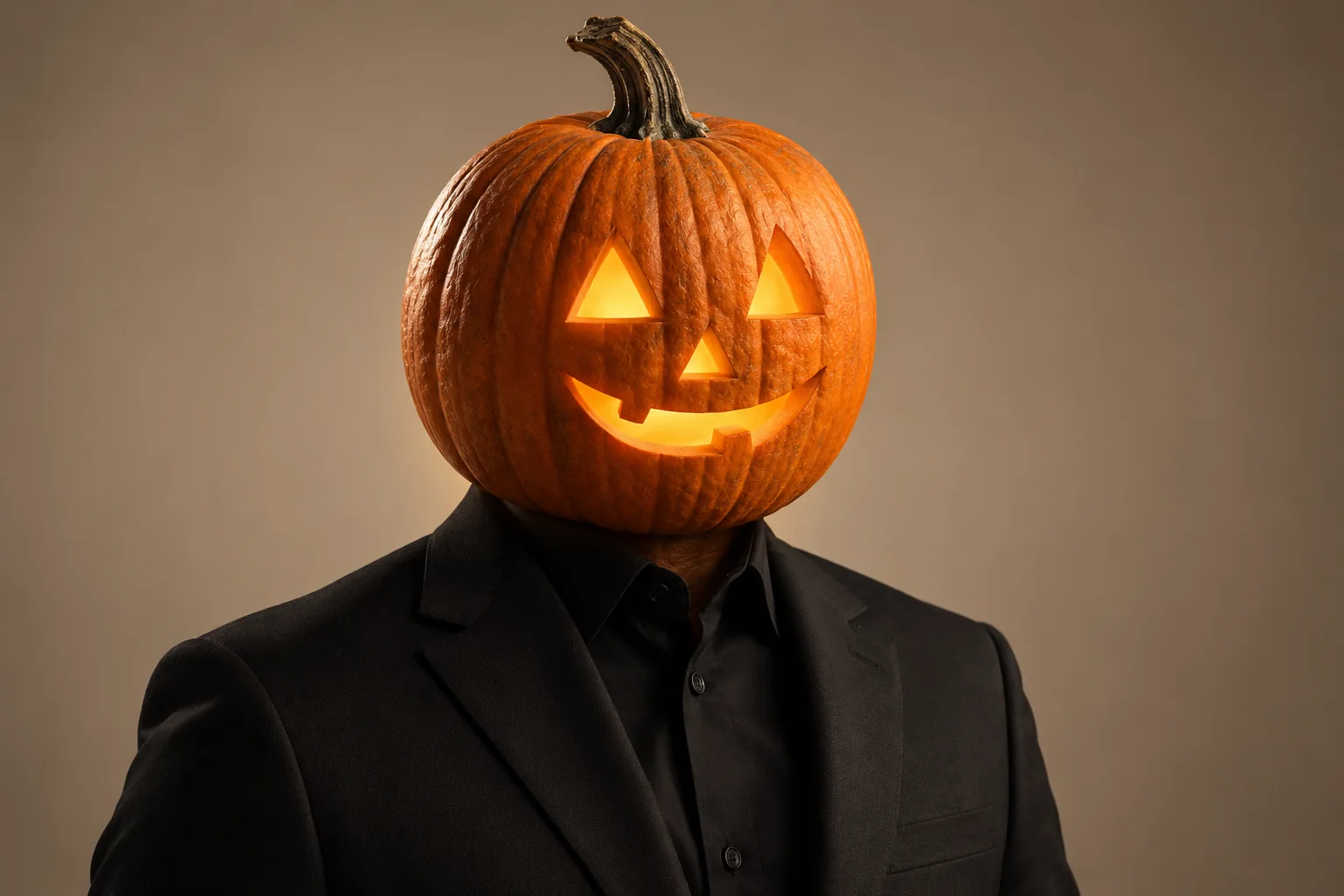
A polished waist-up studio portrait of an adult character in a tailored black suit, with one realistic carved pumpkin as the entire head. Clean triangular eyes and a restrained carved smile, crisp pumpkin ridges, curved stem, subtle warm interior light. The pumpkin sits securely at the shirt collar, proportional to the body. Simple warm taupe background, soft studio key light, gentle rim light, detailed suit fabric, balanced composition with breathing room around the head, no human face, no text or logos.
Adjust first: If you need space for invitation text, request negative space on one side. Add the final lettering separately so you can control spelling and placement.
How to turn a pumpkin head image into an AI video
Start with a still you are happy to publish. Animation can amplify an awkward collar, oversized pumpkin, or uneven carving; it is usually more useful to fix the still before asking for motion.
- Create or edit the image. Use the image editor for a reference photo or text-to-image generator for a new character.
- Inspect the full-size result. Check the head-to-collar connection, hands, clothing, carving, and background. Correct obvious defects before continuing.
- Open the image-to-video tool. Choose “Upload source image,” add the finished still, and enter your motion instructions in the prompt field. Select a model and output settings that fit your project. Sign in when prompted. Available durations, resolutions, and credit costs vary by model; review the displayed settings, credit amount, and pricing before generating.
- Choose one primary movement. Start with a slow camera push-in, drifting leaves, or a small body sway. Avoid asking for a fast head turn, walking, dancing, and a camera orbit together on the first attempt.
- Review the entire clip. Inspect the beginning, middle, and end for changing eye shapes, disappearing stems, warped collars, and background flicker. A good first frame alone does not prove the clip is usable.
Try this restrained motion prompt:
Use the uploaded pumpkin-head portrait as the starting frame. A slow, gentle camera push-in toward the character. The character remains almost still; a few autumn leaves drift through the background. Keep the pumpkin silhouette, carved eyes and mouth, stem, clothing, and collar connection consistent. Maintain the existing light direction and a steady soft amber glow. No new objects, no face transformation, no sudden camera movement.
Consistency instructions express what you want; they cannot guarantee that every frame will match. If the carving changes, reduce the movement, use a shorter available duration, and try again from the clean still. For more ways to describe camera movement and atmosphere, try another motion prompt in the image-to-video tool.
Troubleshooting pumpkin head AI results
The result looks like a mask, or a human face remains visible
Say “replace the entire head, including the face and hair; the pumpkin is the head, not a mask.” Remove language such as “wearing a pumpkin” if it keeps producing a costume prop. If the editor offers a selection or masking control, select the intended head region carefully; do not assume every model has that control.
The pumpkin floats above the collar
Use a reference with a visible neckline. Ask for the pumpkin base to meet the existing collar, with a small contact shadow and a natural shoulder-to-head scale. A scarf or raised coat collar can make the connection less exposed, but it should not conceal a second neck or extra head.
The pumpkin is too large
Replace vague words like “giant” or “dramatic” with a concrete relationship: “approximately the original head height, slightly wider than a human head, and narrower than the shoulders.” Review the silhouette at thumbnail size as well as full size.
The outfit or background changes
Separate the edit from the preservation instruction: “Change only the head. Preserve the cream sweater, both hands, body pose, path, and camera framing.” For a reference edit, remove scene details from the style recipe that conflict with your actual photo. If the tool exposes an edit-strength control, a less aggressive setting may help; controls differ by model.
The glow erases the carved features
Ask for a dim amber light, visible carved edges, and restrained light spill. Avoid combining “subtle glow” with “blazing flames.” The pumpkin surface should remain readable even when the eye and mouth openings are illuminated.
The carving changes during animation
Reduce the amount of movement and avoid extreme turns. A frontal or slight three-quarter view gives you an easier shape to inspect. If a model still changes the carving, try a simpler motion or a different available model; repeated generations can vary.
Pumpkin head AI FAQ
Is pumpkin head AI a photo effect or a video effect?
It can be either. The core idea is a pumpkin-headed character in a still image. A separate animation step can turn that still into a Halloween video. Starting with the still gives you a chance to correct the design before adding motion.
Do I need to upload a photo?
Only if you want to edit an existing person, outfit, pose, or location. You can create a fictional pumpkin-headed character from a text prompt. A reference image gives the model more specific visual information, but it does not guarantee exact preservation.
Will the finished portrait still look like me?
The effect replaces the face, so facial likeness is no longer the goal. Your clothing, body language, and surroundings may make the image recognizable to people who know the original. For the complete head-replacement style in this guide, ask to remove visible human hair as well as the face.
Can I make a pumpkin head couple photo?
Yes, you can prompt for two pumpkin-headed characters or edit a reference with two people. Specify one separate pumpkin for each person, identify them by clothing or position, and check both collar connections. Complex poses and overlapping heads can need more correction.
Which aspect ratio should I use?
Choose it for the final destination: a square composition can suit a profile image, a vertical one can suit a phone-screen video, and a landscape one can suit a blog cover. Check the destination's current crop preview and the model's available sizes before generating. Keep the pumpkin and stem away from the edges.
Can I get the exact same pumpkin in every video frame?
Not reliably from a prompt alone. A clean reference, simple carving, restrained motion, and shorter clip can make consistency easier to evaluate, but models may still alter details. Review the entire export and regenerate if the design changes in a distracting way.
Where should I start on this website?
Start in the AI image editor if you already have a photo, or use text to image for an original character. Once the still looks right, move to image to video and add one gentle movement. Keep the first attempt simple, inspect it, and change one thing at a time.